Growth can expose problems that are easy to overlook when a company is smaller. This business process automation case study follows a multi-state service company where rising demand meant more completed jobs—and more administrative work associated with every customer.
Each job required customer outreach, scheduling, appointment reminders, paperwork, invoicing, follow-up and delivery of completed documents. Individually, none of those tasks was especially complicated. Repeated hundreds or thousands of times, however, they consumed a significant amount of staff time.
Content Fresh began by conducting an operational audit of the company’s existing workflow. We mapped the administrative steps associated with a typical job and reviewed where staff members were spending time on repetitive communication, paperwork, scheduling and follow-up.
The audit established a baseline of approximately 46 minutes of administrative processing time per job. With a measurable starting point, we could identify which parts of the process required staff involvement and which predictable tasks could be supported through automation.
Connecting the workflow
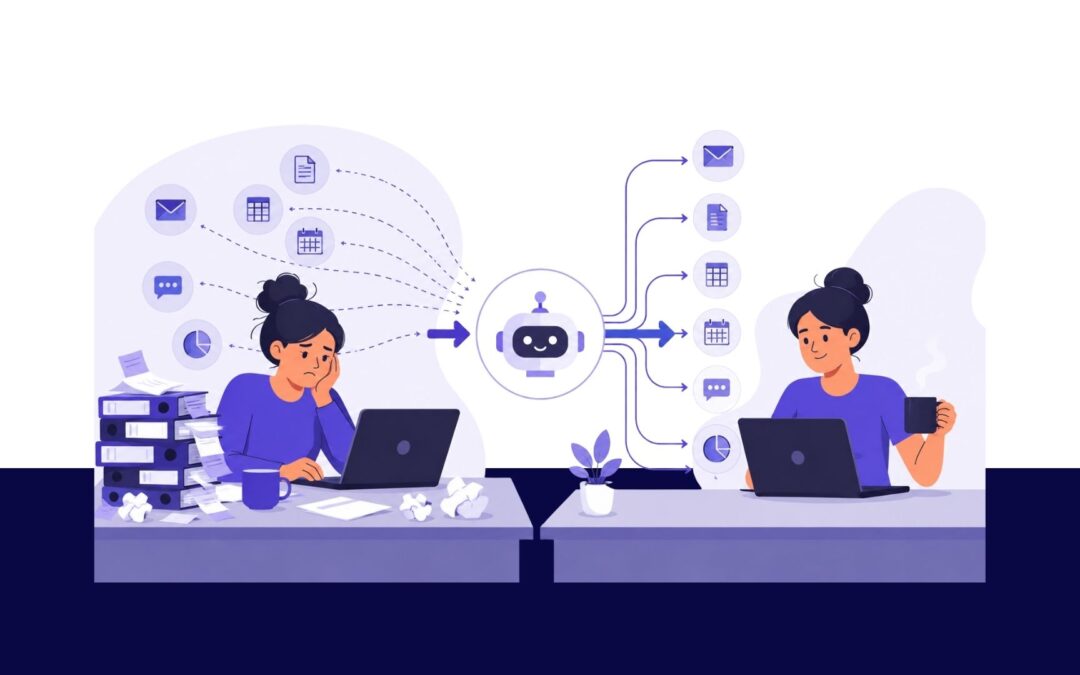
Content Fresh connected a series of software tools to support routine steps in the customer journey, including outreach, scheduling, appointment reminders, intake and paperwork, invoicing, follow-up and document delivery.
The goal was not to eliminate personal customer service or automate every interaction. It was to reduce the time employees spent completing repetitive tasks and to create a more consistent process for moving each job forward.
Once the new workflow was implemented, Content Fresh conducted a before-and-after review. Administrative processing time dropped from approximately 46 minutes per job to 1.5 minutes. The difference was important because the company was also experiencing significant growth. Completed jobs increased from 1,018 in 2023 to 2,063 in 2025, while the company’s service area expanded from one state to four.
Automation was one part of a larger growth program that also included marketing, search visibility, advertising and increased market demand. It did not create the company’s growth on its own. It did, however, provide a stronger operational foundation for handling a larger volume of work without administrative resources increasing at the same rate.
Start with the process, not the software
One of the most important lessons from the project was that the automation work began with an audit, not with a technology platform. By first documenting the existing process, Content Fresh could identify repetitive steps, handoffs between systems and areas where staff time was being used unnecessarily. Establishing a baseline also made it possible to measure the result rather than simply describe the new workflow as more efficient.
For service businesses that are automating business processes, the details will differ, but the opportunity often begins in the same place. Customer inquiries, scheduling, reminders, paperwork, invoicing, follow-up, and final document delivery are all areas where repetitive work can accumulate. When a task occurs with every customer, even a relatively small inefficiency can become significant as the business grows.
For this company, reducing administrative processing time from approximately 46 minutes to 1.5 minutes per job created additional capacity at an important point in its growth. The project demonstrates why business process automation is most useful when it begins with a clear understanding of how the business already operates, identifies a measurable problem and uses technology to solve that specific problem.
Content Fresh provides business process automation services for service organizations. We help teams evaluate existing workflows, identify administrative bottlenecks, and build practical workflow automations designed to support sustainable growth.
Expanding a niche service business into new markets takes more than adding a new service area to a website. People need to be able to find you when they are actively looking for answers, trust the information they find, and have a clear next step when they are ready to contact you.
That was the challenge facing a specialized residential-inspection provider. As homeowner incentive programs and interest in resilient construction grew across Southern Alabama, the client had an opportunity to reach homeowners beyond its established market.
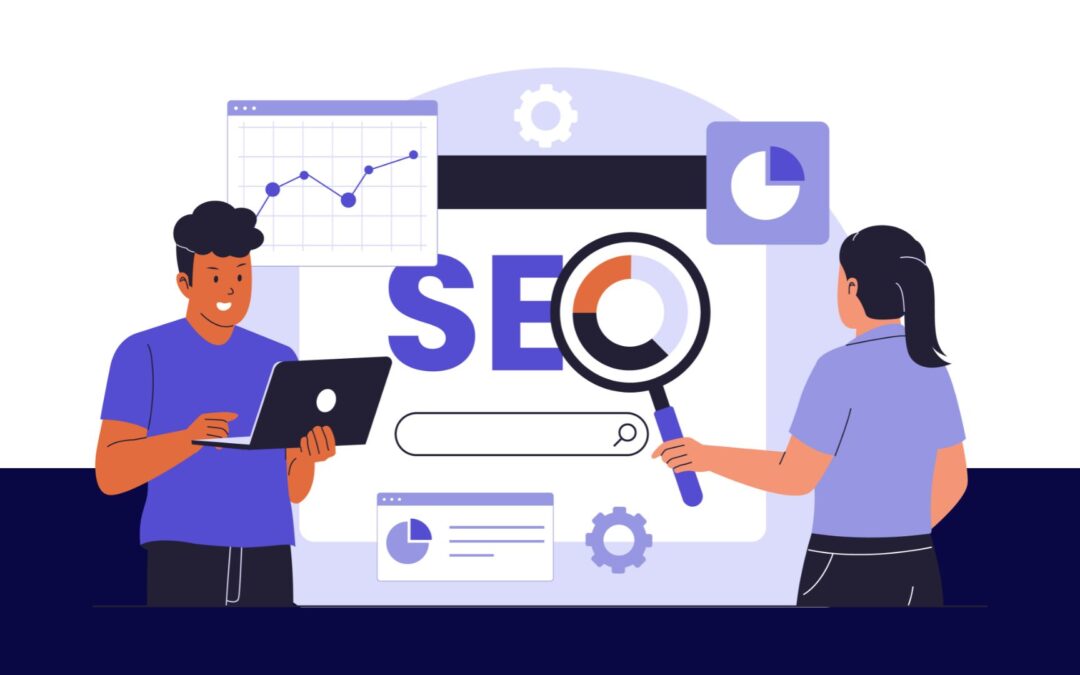
Content Fresh built a search-led content strategy designed to help the company show up for the questions homeowners were already asking about inspections, certifications, homeowner grant programs, and roofing resilience.
Start with the questions people are already searching
For a specialized service, broad marketing language rarely creates meaningful demand. The most useful content begins with the specific questions, concerns, and decisions that bring someone to a search engine like Google.
For this client, that meant developing educational blog content around high-intent topics, including inspections, certifications, homeowner programs, and roofing resilience.
Google Ads was designed to capture the logical next step after blog content had already informed and educated homeowners. Rather than operating separately from SEO, paid search worked in tandem with organic content to validate demand from users actively seeking inspection and program-related information, creating a unified view of what prospective customers were looking for.
Build credibility alongside visibility
Specialized services often require more education and trust than a typical purchase. Homeowners were not simply searching for a vendor; many were trying to understand the requirements of the grant program, determine whether it applied to them, or learn what a certification meant for their home.
That is why the content strategy prioritized educational value and credible sources. Blog and social content consistently connected audiences to trusted third-party educational resources, helping the client participate in the conversation without relying on unsupported claims.
This approach also gave the company a more useful foundation for expansion. Rather than publishing generic location pages, the site could meet homeowners with relevant information tied to their real search intent.
Trust is also shaped by the signals people see beyond your website. A complete Google Business Profile, current customer reviews, and thoughtful responses can help local customers feel more confident before they reach out—and a consistent system to get more local reviews helps keep that trust visible over time.
Results that extended beyond the original market
By the end of 2025, the client had 2,888 tracked keywords ranking on Google’s first page. High-intent website clicks grew from 815 in 2024 to 4,792 in 2025.
Website traffic in emerging markets also increased substantially, ranging from 62.5% to 1,520% depending on the state.
The work supported the client’s expansion from serving one state in 2023 to serving customers across four states by 2025.
Search content works best as part of a connected system
Search-led content helped create visibility, but visibility was only one part of the growth plan. Content Fresh coordinated SEO, educational content, Google Ads, full service social media, and operational automations so the client could build demand while improving its ability to respond to new business.
For growing service businesses, that is the larger lesson: content should not exist just to fill a blog calendar. It should help the right people find you, answer the questions that slow their decisions, and connect to a system that can support growth.
Content Fresh helps service businesses turn search demand into a practical growth strategy through SEO, content, paid search, website development, and connected technology.
How to get more Google reviews is one of the most important questions a local business can ask. Not because reviews are just a “marketing thing.” Because Google reviews help people decide whether they can trust you.
For many local businesses, there is a gap between the reputation they have in the community and the reputation people see online. You may have loyal customers, strong word-of-mouth, and years of good work behind you, but if your Google Business Profile only has a handful of reviews, potential customers may not see that history. They see what is online first.
That means your reviews, your responses, your photos, your website, and your social media all work together to shape the first impression someone has before they ever call, visit, or request a quote.
Google says reviews can help your business stand out in Search and Maps, and that customers can be asked to leave reviews through a Google link or QR code. Google also says businesses should reply to reviews because it shows that customer feedback matters.
Here is a practical system local businesses can use to get more Google reviews, respond to them well, and use them to build trust.
Why Google reviews matter for local businesses
When someone searches for a local service, they are usually trying to reduce risk. They want to know:
That matters for established businesses, too. A business can be well-known locally and still look risky online if its review profile is thin, outdated, or ignored.
Google also says local ranking is based mainly on relevance, distance, and prominence. Prominence includes how well-known a business is, and Google notes that more reviews and positive ratings can help local ranking. So reviews support two important goals:
They help potential customers trust you.
They can support your visibility in local search.
Step 1. Make sure your Google Business Profile is ready
Before asking for more Google reviews, make sure your profile gives people confidence. Check that your profile includes:
Correct business name
Correct phone number
Correct website
Accurate hours
Service areas
Business categories
Services
Recent photos
A clear description of what you do
Google says complete and accurate business information helps customers understand what you do, where you are, and when they can visit. This step matters because reviews do not work alone.
A strong review profile paired with an incomplete business profile creates friction. People may trust the review but still hesitate if they cannot quickly confirm your services, hours, or contact information.
Step 2. Create a simple Google review link
The easier you make it, the more likely customers are to leave a review. Google allows businesses to share a review request link or QR code with customers. Use that link in places where happy customers are most likely to take action:
Follow-up emails
Text messages
Receipts
Invoices
Thank-you cards
Appointment follow-ups
QR codes at checkout
Post-project messages
Website buttons
Email signatures
Keep the request short and direct. A good review request should not pressure the customer. It should simply make the next step easy.
Step 3. Ask at the right moment
Timing matters. The best time to ask for a review is when the customer has just had a good experience. For a service business, that might be:
After a project is completed
After a successful appointment
After a customer compliments your team
After a repeat customer returns
After a problem is resolved well
After a client sends a thank-you message
Do not wait weeks. By then, the moment has passed. A simple message works best:
Example review request
Thank you for choosing us. We’re glad we could help. Would you be willing to share your experience in a Google review? It only takes a minute, and it helps other local customers feel confident choosing our team.
[Insert Google review link]
This is clear, polite, and easy to act on.
Step 4. Ask consistently, not randomly
Many businesses only ask for reviews when they remember. That usually leads to long gaps. A better approach is to build review requests into your normal process. For example:
Every completed job gets a follow-up message.
Every satisfied customer gets a review link.
Every team member knows when and how to ask.
Every review is monitored and answered.
Review progress is checked monthly.
The goal is not to flood your profile with reviews all at once. The goal is a steady stream of honest, recent feedback.
That matters because consumers care about recency. BrightLocal found that 74% of consumers seek reviews written in the last three months. A review profile with fresh reviews signals that your business is active today.
Step 5. Do not offer incentives for reviews
It may be tempting to offer a discount, gift card, or free item in exchange for a review, but don’t do that!
Google’s policy says reviews should reflect a genuine experience. Google prohibits incentives such as payment, discounts, free goods, or services in exchange for posting, changing, or removing a review.
Google also says merchants should not selectively solicit only positive reviews, pressure users to leave reviews on-site, or request specific content in the review. The safe approach is simple:
Ask real customers.
Ask for honest feedback.
Make it easy.
Do not tell people what to say.
Do not reward people for leaving a review.
You are not trying to manufacture trust. You are trying to make your real reputation more visible.
Step 6. Respond to every Google review
Getting reviews is only half the work. Responding to them is what shows people you are paying attention.
Google says replying to reviews shows customers that you value their feedback. BrightLocal’s 2026 survey also found that 89% of consumers expect business owners to respond to reviews, and 80% are likely to use a business that responds to all of its reviews.
That means silence can hurt trust. A business with reviews but no responses can look disconnected, but a business that replies with care looks active, accountable, and professional.
How to respond to positive Google reviews
Positive reviews are an opportunity to reinforce what people already like about your business. A strong response should:
Thank the customer.
Mention something specific.
Keep it short.
Sound human.
Avoid sounding overly promotional.
Positive review response example
Thank you, Sarah. We’re so glad you had a good experience with our team. We appreciate you taking the time to share this and are grateful you chose us for your project.
Another example
Thank you for the kind words. We’re happy to hear the process felt smooth from start to finish. We appreciate your support and your recommendation.
Google recommends keeping review replies short, simple, professional, polite, and conversational rather than promotional.
How to respond to negative Google reviews
Negative reviews are uncomfortable, but they are also an opportunity to show future customers how you handle problems.
Do not argue.
Do not share private details.
Do not attack the reviewer.
Do not write a long defensive response.
Google recommends protecting privacy, avoiding personal attacks, being honest, apologizing when appropriate, personalizing the reply, and responding in a timely manner.
Negative review response example
Thank you for sharing your feedback. We’re sorry to hear this was your experience. We take concerns like this seriously and would appreciate the opportunity to learn more. Please contact our team directly so we can better understand what happened and work toward a resolution.
Another example
We’re sorry this experience did not meet expectations. That is not the level of service we aim to provide. Thank you for bringing it to our attention. Please reach out to our office so we can review the details and address your concerns directly.
The goal is not to “win” the review. The goal is to show professionalism to everyone reading it later.
Step 7. Use reviews as trust-building content
A good Google review should not only live on your Google Business Profile. With permission and proper context, reviews can support your broader online presence. You can use reviews in:
Website testimonials
Service pages
Social media posts
Email newsletters
Sales materials
Printed brochures
Case studies
Proposal decks
Google allows businesses to get a direct link to a customer review, and notes that positive reviews can provide helpful testimonials for your business. This is where reviews connect with your larger content strategy.
For example, if several customers mention that your team was responsive, clean, on time, or easy to work with, those are trust signals you can use across your marketing.
Step 8. Look for patterns in your reviews
Your reviews can tell you what customers value most. Look for repeated words and themes. Do customers mention:
Fast communication?
Friendly staff?
Professional service?
Clean work?
Clear pricing?
Helpful explanations?
On-time arrival?
Strong follow-through?
These patterns can shape your website copy, social media content, ads, and sales conversations. They also help you see where your reputation is strongest.
For example, a painting company may think customers choose them because of quality workmanship, but reviews may show that customers also value how clean the crew is, how easy the estimate process feels, and how clearly the team communicates. That is useful marketing insight.
Step 9. Make reviews part of your weekly routine
Review management should not be a once-a-year project. It should be a simple weekly habit. Set aside time each week to:
Check new Google reviews.
Reply to every review.
Send review requests to recent customers.
Save strong testimonials for future content.
Flag reviews that violate Google policies.
Look for repeated customer feedback.
This does not need to take hours. For many businesses, 15 to 30 minutes a week is enough to stay active and responsive. The key is consistency.
Your online presence is often the first impression people have of your business. A quiet or outdated profile can create uncertainty, while recent reviews and thoughtful responses show that your business is active and engaged.
A simple Google review system for local businesses
Here is a simple process you can start using right away.
After every completed service – Send a thank-you message with your Google review link.
Once per week – Check new reviews and respond to each one.
Once per month – Review your total review count, average rating, and recent review themes.
Once per quarter – Update website testimonials and social proof content with your strongest recent reviews.
Ongoing – Use customer feedback to improve your service, messaging, and online presence.
This system keeps your review profile current without adding stress to your team.
What if your business has a great reputation but very few Google reviews?
This is common. Many local businesses have strong relationships offline but a weak review presence online. That does not mean people do not trust you. It means your online proof has not caught up with your real-world reputation.
The fix is not to chase fake reviews or pressure customers. Instead build a simple, repeatable system that helps satisfied customers share what they already know about your business.
Ask consistently, respond thoughtfully and use reviews as proof.
Keep your Google Business Profile active. Over time, your online reputation should begin to reflect the trust you have already earned in the community.
Need help getting more Google reviews?
Content Fresh helps local businesses build a stronger online presence with consistent review requests, thoughtful review responses, and trust-building content. If you need help getting more Google Reviews, schedule a call with us today!
If your business has a strong local reputation but your Google reviews do not reflect it yet, we can help you put a simple system in place. You do not need to be everywhere. You need to be reliably present where people are already looking.
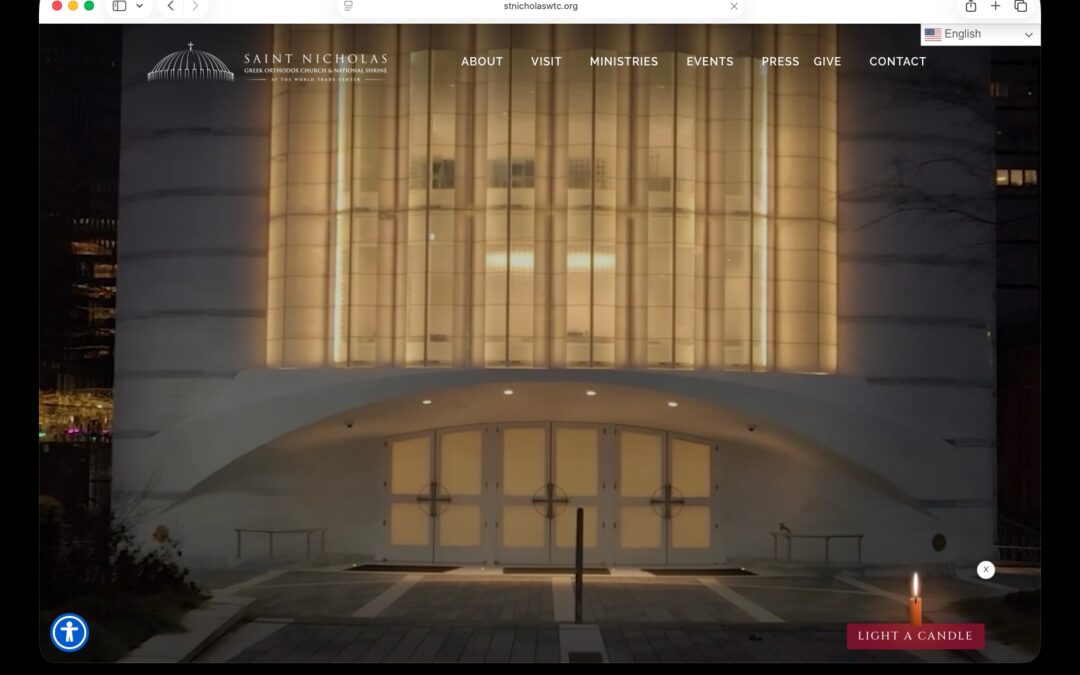
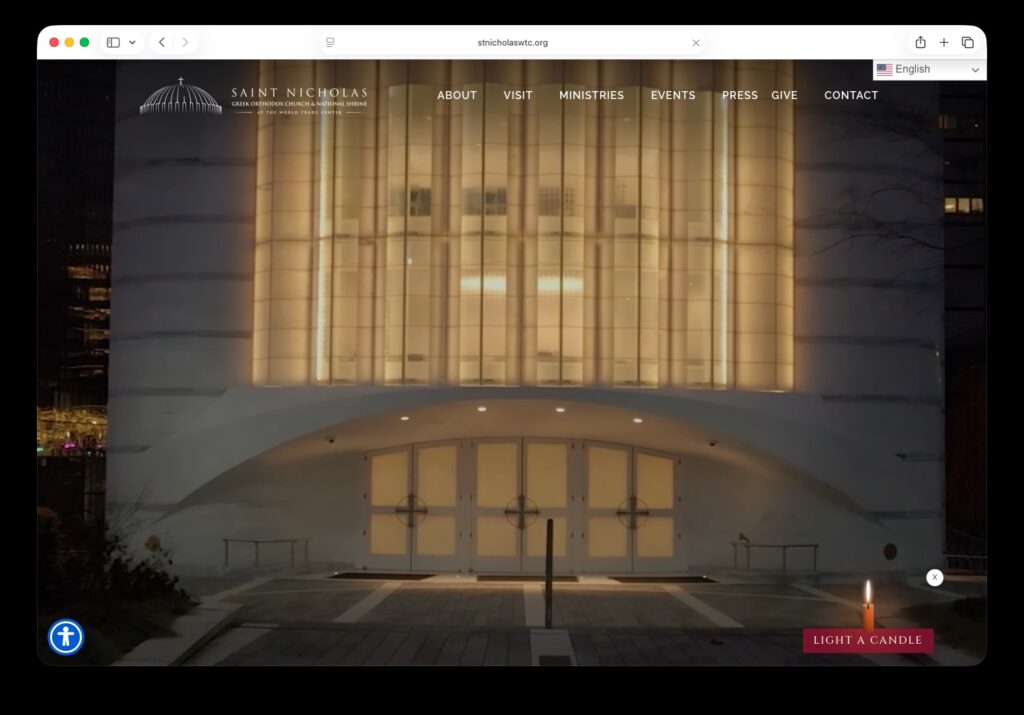
Mobile, AL – May 29, 2026 — Content Fresh, a digital communications agency based in Mobile, Alabama, has launched a newly redesigned website for Saint Nicholas Greek Orthodox Church and National Shrine at the World Trade Center in New York City.
The new website, stnicholaswtc.org, went live on May 15, 2026, and was rebuilt to create a more accessible, visually engaging experience for visitors. The redesign highlights the Shrine’s iconic imagery while making it easier for users to light a candle for loved ones, make donations, plan a visit, and explore opportunities to worship, tour, and connect with the Shrine’s mission.
Content Fresh partnered with Saint Nicholas National Shrine to refresh the site’s overall look and feel while improving the way visitors navigate key actions and information. The updated experience better reflects the beauty, significance, and welcoming spirit of one of the most meaningful sacred spaces at the World Trade Center.
“The current website hadn’t been updated in many years, and it had split into the Friends and the Church, which felt very disconnected,” said Andrew Veniopoulos, Executive Director of Saint Nicholas National Shrine. “It also wasn’t very user friendly. A lot of people go there to find dates and service information, so having a clear, accurate calendar is really important.”
Saint Nicholas National Shrine serves as both a house of worship and a destination for reflection and pilgrimage in Lower Manhattan. The new website supports those goals by helping visitors more easily access the information and features most important to them.
Content Fresh is a digital communications agency based in Mobile, Alabama. The company provides website development, digital strategy, communications support, and technology solutions for public and private sector clients.
A simple social media workflow for large organizations is not about asking every department to post more. It is about creating a repeatable system that helps your organization stay reliably present online, even when staff are busy.
For local governments, public agencies, universities, nonprofits, and service-based businesses, social media is part of your public presence. People use it to judge whether your organization is active, credible, current, and worth contacting.
The goal is not to be everywhere and to be reliably present. Content Fresh’s 5-Pillar Content System gives large organizations a practical way to plan a full year of social media content without creating daily pressure for every department.
Why Large Organizations Need a Simple Social Media Workflow
Large organizations usually have plenty of stories to tell. The problem is not a lack of content. The problem is a lack of structure.
A city may have updates from public works, parks, libraries, police, fire, and events. A university may have programs, departments, centers, and student groups. A service business may have several locations, teams, or service lines. Without a shared workflow, the result is often:
Some accounts post often while others go quiet
Staff create content only when there is an event
Photos and testimonials are hard to find later
Posts are created from scratch every time
Brand quality varies by department
No one knows who is responsible for the next post
That inconsistency can create doubt. When someone checks your page and sees no recent activity, they may wonder:
Are they still open?
Is this program still active?
Is this information current?
Can I trust this organization?
A simple workflow helps prevent that. It turns social media from a last-minute scramble into a manageable system.
The Core Idea: Build 52 Weeks of Content With Five Pillars
A practical starting point is one post per week. That means your organization needs 52 posts for the year. Content Fresh breaks that down into a simple annual plan:
Pillar 1: Testimonials and Social Proof — 10 posts that build trust by sharing reviews, quotes, success stories, public praise, and other proof that real people value your work.
Pillar 2: Values, Expertise, and Education — 10 posts that establish your organization as a trusted authority by sharing credentials, unique qualifications, educational content, values, mission, and thought leadership.
Pillar 3: Day-in-the-Life and Behind-the-Scenes — 10 posts that humanize your organization by showing real people, real places, real work, and visible brand moments such as logos on buildings, vehicles, doors, shirts, or materials.
Pillar 4: How-To, About Us, and Working With Us — 10 posts that make the next step clear through FAQs, program highlights, office hours, contact details, registration steps, service requests, and other practical instructions.
Pillar 5: Timely and Real-Time Updates — 12 posts that keep your presence current with event reminders, deadline notices, closures, announcements, seasonal updates, live photos, and other timely posts.
That gives you 40 planned evergreen posts and 12 real-time or timely updates.
The first four pillars can be created in advance. The fifth pillar stays open for what is happening now. That balance matters. It gives your team structure without making your content feel stale.
A Simple Social Media Workflow for Large Organizations
Once the pillars are clear, the workflow becomes much easier to manage. Here is a practical process large organizations can use.
Step 1: Audit Your Current Presence
Start by reviewing what already exists.
Look at:
Last post date
Posting consistency
Active and inactive accounts
Google Business Profile activity
Recent reviews
Website freshness
Who has admin access
Which departments or locations need support
The audit helps you see where silence, outdated information, or inconsistent branding may be creating risk.
Step 2: Choose a Baseline Frequency
Start with one post per week. One good post each week is more sustainable than a burst of activity followed by silence. A weekly baseline gives visitors recent content to review when they check your page. That builds trust over time.
Step 3: Assign 1–2 Contributors Per Department
Do not make everyone responsible. That usually means no one is responsible. Assign one or two contributors per department, program, location, or service line.
Their job is not to become full-time social media managers. Their job is to gather usable content and send it through the system.
Contributors can provide:
Photos and short videos
Testimonials
Program facts
FAQs
Event details
Timely updates
Step 4: Collect Content in Batches
Batching reduces stress. Instead of asking departments for random posts every week, collect content in focused sessions. A practical content request might include:
30–40 usable photos
5–10 short vertical videos
5 testimonials or proof points
5–10 educational facts or value points
5 frequently asked questions
Key links, forms, hours, or contact details
This gives the central team enough raw material to build content without chasing every department each week.
Step 5: Organize Content by Pillar
A shared content library is only useful if your team can quickly find the right content. Use simple, consistent tags for each pillar, along with categories such as evergreen, events, hiring, volunteer opportunities, departments, programs, or locations.
Clear titles and tags make content easier to search, schedule, reuse, and report on later.
Step 6: Review and Approve
Large organizations need review steps, but approvals should not stop the workflow. A good review process checks for:
Accuracy
Brand alignment
Privacy concerns
Link accuracy
Clear calls to action
Correct department or location assignment
This is where a centralized system helps. Teams can create content, route it for review, and prevent unapproved posts from publishing.
Step 7: Schedule Evergreen Content
Once evergreen posts are organized and approved, the next step is to place them into a publishing schedule. This is where the workflow starts to reduce day-to-day pressure.
Instead of deciding what to post every week, your team can build a repeatable rhythm for Pillars 1–4. For example, you might schedule a testimonial during the first week of the month, an educational post during the second week, a behind-the-scenes post during the third week, and a how-to or FAQ post during the fourth week.
A scheduling system like Content Fresh Cloud helps because it lets your team turn approved evergreen content into a working calendar. Posts can be assigned to the right profile, placed into the right week, and scheduled ahead of time so each department, location, or program maintains a consistent presence.
For larger organizations, queues can make this even easier. A queue allows approved evergreen posts to rotate automatically based on the schedule you set. That means your best testimonials, educational posts, behind-the-scenes content, and how-to posts can continue working for your organization without someone manually rebuilding the calendar every week.
This step is important because it turns the content you collected, organized, and approved into an actual posting system. It is the point where the workflow moves from planning to consistent visibility.
Step 8: Leave Room for Real-Time Updates
Do not fill every slot with evergreen content. Leave space for Pillar 5. Real-time updates help your organization look active, responsive, and human. These posts may not be perfect. That is okay. A timely photo from an event is often more useful than a polished graphic posted too late.
Why This Works for Public Sector and Service Organizations
Public sector organizations and service-based businesses do not need to chase every trend. They need to be clear, consistent, and easy to trust.
A pillar-based workflow reduces daily pressure on staff by giving contributors clear assignments and creating a steady baseline of content. It also makes evergreen posts easier to reuse, keeps departments aligned, protects brand consistency, and makes timely updates easier to manage.
Most importantly, it helps show the public that your organization is active and current. That is especially helpful for large organizations where many people contribute, but no single department has unlimited time.
Build a Consistent Social Media System With Content Fresh
A simple social media workflow for large organizations starts with structure. The 5-Pillar Content System gives every department a clear role. The Content Fresh Cloud gives teams a place to organize, approve, schedule, recycle, and monitor that content.
Together, the strategy and software help organizations move from scattered posting to reliable presence. If your organization needs help building a structured, repeatable content workflow, Content Fresh can help you design a system that fits your team and keeps your digital presence active, clear, and consistent.
Schedule a consultation with us today to see how your organization can implement a simple, scalable content system without adding more work to your team.